This page does not replace the advice of a licensed electrician or the authority having jurisdiction. Do not open panel covers or work on live conductors. If you encounter fire, persistent smoke, or other immediate hazards, evacuate and call emergency services.
Overview: Why safe observations matter
When an AFCI will not reset or keeps tripping, early, accurate observations speed a safe resolution. A clear, time-stamped symptom log and a set of photographs showing visible indicators and identification fields give a licensed electrician diagnostic context before arrival. This reduces time on-site and avoids unnecessary handling of energized parts.
This guidance focuses on things you can safely observe from the exterior of devices and enclosures. It is not a diagnostic procedure, does not authorize panel cover removal or conductor manipulation, and does not replace the judgment of the authority having jurisdiction or a qualified electrician.
- Gather facts, not fixes: record exactly what you see and hear.
- Avoid contact with internal parts or removal of panel covers.
- Provide clear identification information to whoever you contact next.
Create an original symptom log — what to record first
Begin a concise, dated log immediately. Each entry should include time and date, room or circuit served, what was running on the circuit (appliances, lights, chargers), and whether the AFCI tripped during use, when turned on, or while idle. Note repeated patterns and any recent changes such as new appliances, renovations, or wet conditions near outlets.
Record sensory and environmental details exactly as experienced: audible arcing noises, popping, buzzing, burning smells, flickering lights, visible smoke, and whether any devices failed at the same time. If the breaker refuses to reset, note whether the handle moves to Off and then to On, whether it feels different from neighbouring breakers, and whether downstream devices have power after the attempt. Avoid interpreting these sensations; write the plain observation.
- Exact timestamps for each trip or reset attempt.
- List of devices active on the circuit at the time.
- Describe any noises, smells, visible signs, and weather or moisture conditions.
Manufacturer-specific trip indicators and where to find them
Different AFCI designs provide external diagnostic clues. Common sources are a test button or test label on the breaker face, a small LED or colored trip flag, printed or molded model and date codes, and, on modern panels, a digital display with trip codes. Consult the breaker's face and the panel directory for any label text, icons, or arrows that indicate a trip state. Record the exact text, color, and position of any visible indicator.
If a breaker has an LED or visible trip flag, photograph the indicator state immediately after an event and again after any controlled power restoration attempt. If the panel or breaker carries a printed code or serial number, copy it exactly. These details help a licensed electrician or manufacturer technical support understand the device type and any built-in diagnostic capability without the installer needing to open the enclosure.
- Note visible LEDs, colored flags, test buttons, and any printed trip codes.
- Copy model, catalog, and date codes exactly as stamped or printed.
- Record panel directory text and any supplemental labels near the breaker.
How to take useful photos without opening the panel
Photographs are often the most helpful single item you can provide. Capture the panel door closed showing the entire directory, then a close-up of the breaker face showing handle position, markings, and any LED or flag. Take a second close-up from slightly different angles to ensure text is legible; use natural light or a steady flashlight rather than removing covers or using excessive flash that obscures text with glare.
Also photograph the area served by the circuit: the affected outlet, fixture, or equipment, and any visible damage, scorch marks, or water intrusion near outlets. If a device is suspected, show its make/model label. Keep images labeled with the time and a short caption matching entries in your symptom log so the electrician can correlate events and pictures quickly.
- Whole-panel shot with directory visible.
- Close-ups of breaker face, handle position, and any LEDs or flags.
- Photos of affected outlets, fixtures, or appliances and any nearby damage.
Describe condition honestly — words that help
When you describe a breaker or circuit condition in writing, use objective, unambiguous language. Prefer statements such as 'handle will not stay in the On position when switched by hand' or 'LED on breaker is solid red after trip' rather than interpretive phrases like 'breaker is bad' or 'it looks fried.' Objective descriptions reduce back-and-forth and give the electrician a clearer starting point.
Note cosmetic condition separately from operational notes. Phrases like 'face has surface rust' or 'label worn but legible' are useful. If you are preparing equipment for a potential purchase review, list quantities, exact stamped identification, visible wear, and any known functional history, including the symptom log entries for each unit.
- Use precise, observable descriptions rather than diagnostic conclusions.
- Separate cosmetic wear from operational behavior.
- For sale submissions, include unit counts and per-unit condition statements.
Organize units and assess commercial fit for review
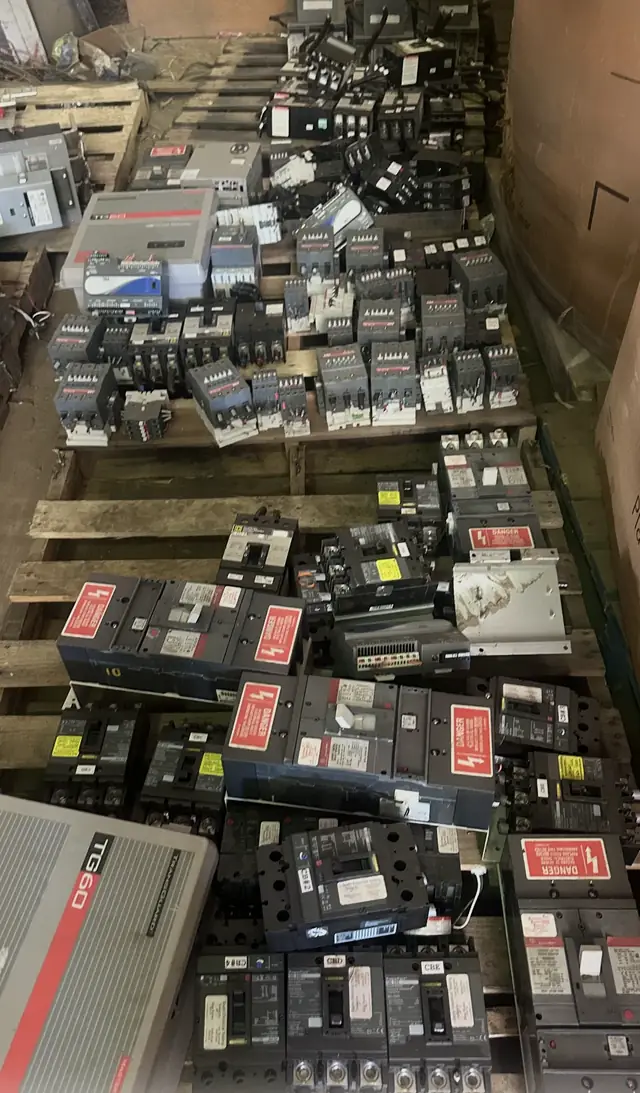
If you plan to submit breakers or panels for a purchase review, organize items by type and condition. Group identical stamped models together, keep matching trip curves or frame sizes together, and label lots with the exact model and date code. A clean, organized set of photos and a per-lot symptom history allow a faster purchase review and reduce uncertainty about compatibility or condition.
Remember that qualifying equipment may be submitted for purchase review; submission does not guarantee purchase. Provide clear, complete identification and the original symptom log for any units that experienced tripping issues. Avoid disassembling equipment or attempting repairs — doing so can alter condition and may affect any potential review outcome.
- Group and label identical models and record per-lot quantities.
- Attach the original symptom log to each lot description.
- Do not disassemble or attempt to repair units before submission.
Safety limits and next steps — when to stop and who to call
If you see signs of melting, burning, continuous smoke, sparking, or feel heat at the enclosure, stop observations immediately, leave the area, and contact emergency services or a qualified electrician as required by your local rules. Do not attempt to reset or manipulate the breaker further if you observe risks to life or property. Follow the manufacturer's safety instructions and the direction of the authority having jurisdiction.
When you are ready to proceed non-urgently, provide the electrician with your original symptom log, photographs, and any identification fields you recorded. A website submission or inquiry is not an appraisal, purchase offer, acceptance, safety inspection, compatibility determination, purchase order, pickup commitment, or shipping authorization. Arrange for on-site diagnosis by a licensed electrician with AFCI experience; they will perform the appropriate tests and actions in compliance with safety requirements.
- Stop if you observe heat, smoke, sparking, or persistent odors.
- Provide your log and photos to the electrician — do not attempt panel work yourself.
- A website submission is only a preliminary review and not a purchase commitment.